15 Apple Watch Hacks Users Must Know About
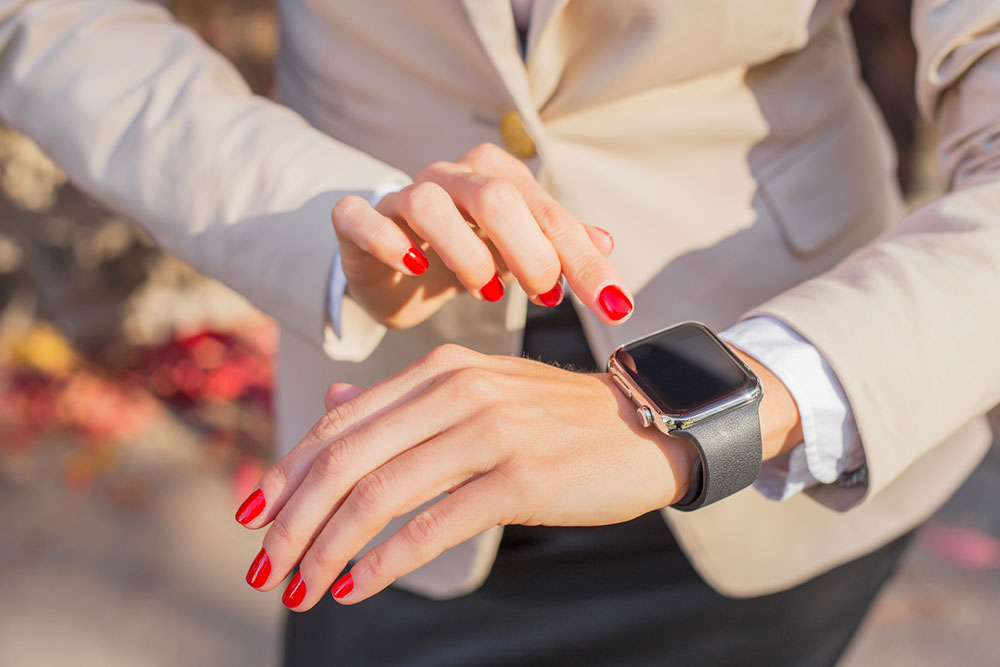
Under the sleek exterior of Apple Watches lies a world of hidden features and functionalities waiting to be explored. Whether one is a long-time user or a recent adopter, these hidden hacks for Apple Watches will allow one to make the most of these remarkable devices. So, to make their Apple Watch experience better, here is a list of 15 hidden hacks that Apple Watch users must know about.
1. Customize the action button
One of the best features of the Apple Watch Ultra and the Apple Watch Ultra 2 is the Action Button, which can open various apps. To do this, users will have to create a Shortcut on their iPhone using the Shortcut app and then enable the “Show on Apple Watch” option. Then, they must return to the Apple Watch app on their iPhone, where they can personalize the ction button to trigger the shortcut they just generated.
2. Enable fall detection
The Apple Watch SE, Apple Watch Series 4 (and later), and Apple Watch Ultra (and later) have a feature called Fall Detection, which can benefit older people and anyone who does outdoor activities like running. With this feature turned on, when a fall is detected, the watch connects the user to emergency services and notifies their emergency contacts. Users can access this feature in the SOS settings menu and select the “Always On” option for added safety.
3. Monitor heart rate
Apple Watches also have a feature to take the wearer’s electrocardiogram (ECG). To set this up, the user would need to navigate to the Health app on their phone, access the “Heart” section, and choose “Electrocardiograms (ECG).”
4. Take screenshots
Users can also enable the option of taking screenshots on their Apple Watch. To do this, they would need to open the Watch app on their iPhone and, in General Settings, select the option to enable screenshots. After enabling this feature, they can take screenshots on their Apple Watch by pressing the side button and the Digital Crown together.
5. Control Apple TV
Apple Watches can be remote controls for Apple TVs, provided they are connected to the same Wi-Fi network. To utilize this feature, the user must go to the Remote app on their Apple Watch and select their Apple TV. Similarly, they would need to select their Watch in their Apple TV settings and then enter the displayed passcode on the Watch.
6. Check gesture control
The watchOS 9 and watchOS 10 boast an impressive feature called AssistiveTouch, which allows the user to control a few functions with specific gestures. Some default gestures with the watch hand include pinching, double pinching, clenching, double clenching, etc. The user can use hand gestures for several functions, including swiping between screens, activating Siri, accessing the Notification Center, and more.
7. Find a lost phone
Those who own the latest Apple Watch Ultra 2 and the iPhone 15 can now use Apple’s advanced phone tracking technology to find their lost iPhone. They can use this feature by pressing the side button on the watch and activating the “Find iPhone” option. The watch will then guide them towards their iPhone, provided it is within range, with an arrow on the screen.
8. Use the watch as a flashlight
The Apple Watch Ultra’s 2000-nit display can serve as a powerful flashlight. The Apple Watch Ultra 2 takes it up a notch with a 3000-nit display. To access this feature, users need to open Control Center, where they will find a flashlight icon.
9. Join group FaceTime calls
The watchOS 10 has a feature that enables Apple Watch users to participate in audio-only group FaceTime calls. During these calls, the watch display expands photos of speaking participants, enhancing the experience for Apple Watch wearers.
10. Enable night mode
The Apple Watch Ultra features a Night Mode on its Wayfinder watch face, accessible by scrolling the Digital Crown upwards. Meanwhile, the Apple Watch Ultra 2 uses its integrated ambient light sensor to activate this mode on the Modular Ultra automatically watch face when it detects low light.
11. Use the water lock technology
Apple Watches have a fantastic feature to protect themselves from water damage. This feature is the Water Lock feature, which is activated automatically when the user selects the swimming workout mode on the watch. The watch will expel any water from its speakers when they turn the mode off.
12. Turn off the notifications alert
Users can hide the ‘unread notifications’ icon from their Apple Watches. To do this, they would need to access the Apple Watch app on their iPhone, tap “Notifications,” and disable the “Notifications Indicator.” This allows them to check notifications at their convenience without being constantly alert.
13. Share contacts
With watchOS 10, Apple Watches introduced NameDrop, a feature enabling secure sharing of contact information, pictures, or other data. To utilize this on the watch, users must click “Share” in the Contacts app or place their Apple Watch near the recipient and tap the My Card watch face.
14. Unlock Mac and iPhone
Apple Watches also have a feature allowing users to unlock their iPhone and Mac. To enable the iPhone feature, the user would need to navigate to iPhone Settings, tap on Face ID & Passcode, and turn on the “Unlock with Apple Watch” option. Similarly, Apple Watch users can also unlock their Macs with their watches.
15. Increase text size
Users can also increase the text size on their Apple Watches with a few simple steps. To do this, they would need to access Settings, select Text Size, and adjust it using the Digital Crown.
While Apple Watch Series 8 and Apple Watch Series 9 have integrated watchOS 9 and watchOS 10, users of Apple Watch Series 4 and above can also upgrade their operating systems to access the features limited to watchOS 9 and watchOS 10.